
01📥
Verify the source
Check the domain and app origin. Avoid unknown ads, social messages and unverified mirrors, and review your device security prompts.
Install the Wallet Safelyimtoken brings a thoughtful wallet experience to multi-chain asset exploration, credential protection and transaction review. Clear interfaces make room for informed decisions.
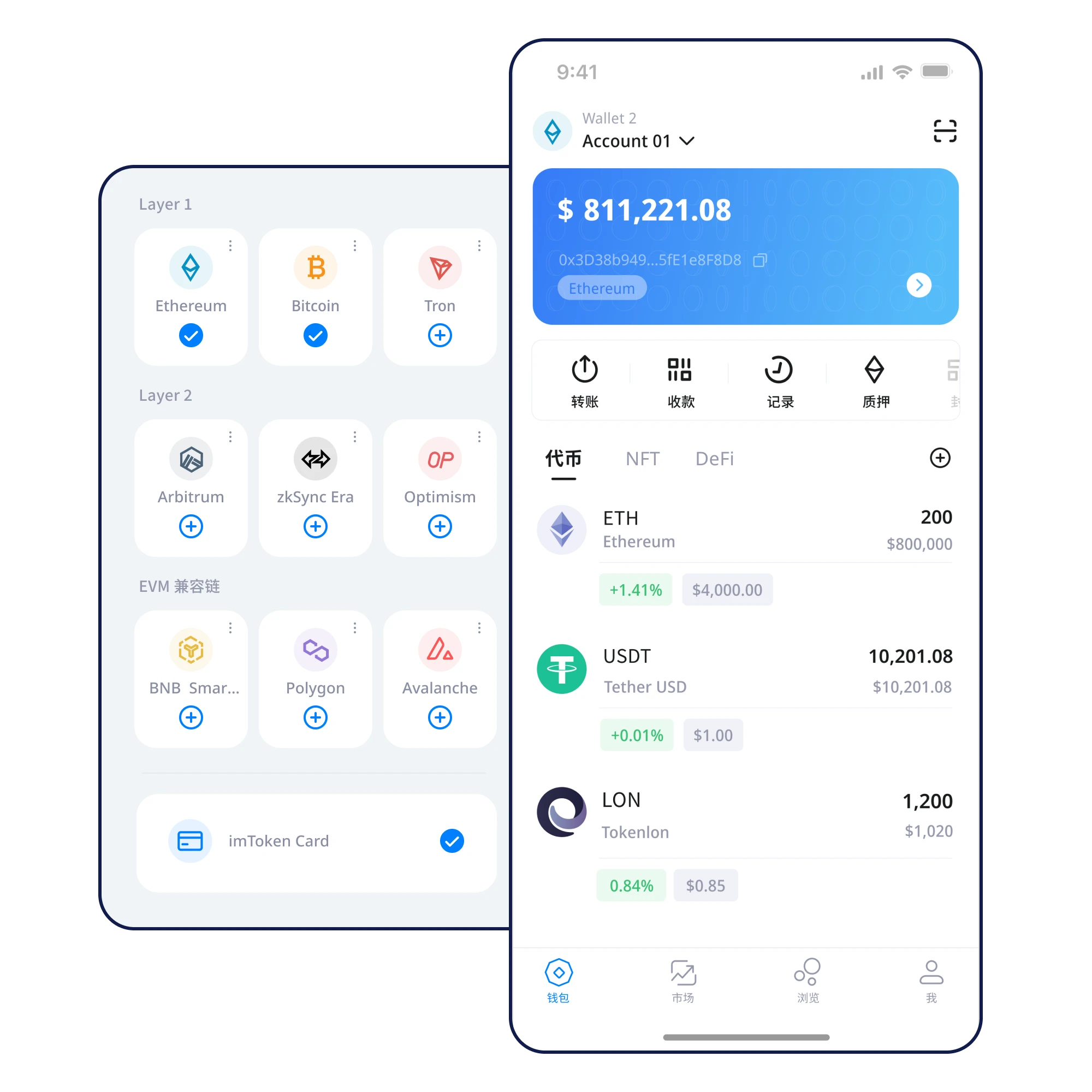
See balances, network context and backup reminders in a structured preview. All displayed amounts are illustrative.
Identify The network and token of an asset
Review A displayed balance is not final settlement
Work through each checkpoint before moving on.
Check the domain and app origin. Avoid unknown ads, social messages and unverified mirrors, and review your device security prompts.
Install the Wallet SafelyInstall on a trusted device and understand the difference between creating and importing. Set a dedicated unlock method before proceeding.
Create Your First WalletWrite down every word in a private setting. Avoid screenshots, cloud storage and sharing the complete phrase with anyone claiming to be support.
Private Keys and Recovery PhrasesVerify order and legibility, then store your backup offline. Before moving meaningful assets, make sure you can access your recovery material.
Your First Recovery BackupIdentify which network hosts each token. The same token symbol can exist on incompatible networks, so check addresses before receiving funds.
Organize Assets Across NetworksReview the receiving address, chain, amount, fee and approval scope. Pause on unfamiliar requests and consider a small test.
Review a Transfer Before SigningA password, a private key and a recovery phrase have different roles. Understand those differences before you need to recover access.
A useful backup is legible, private and available when needed. Do not erase an old device until you have verified recovery on the new one.
Similar token names can exist on different networks. Check the destination, fees and approval scope before approving a transaction.
Protect credentials yourself, never surrender them to an unfamiliar page.
Review amounts, networks, addresses and permissions before signing.
Plan backups early and use a verifiable process when devices change.
Explore guides by the question you need to answer.
Before using USDT, identify its chain and confirm matching transfer details.
Organize Assets Across Networks
Restore with verified materials and review the old device.
Move to a New DeviceStop when a link requests unexpected signatures or phrases.
Spot Phishing and ImpersonationTurn warning signs into practical checks.
Verify the domain; avoid unknown installers.
Stop; never submit recovery material.
Confirm the chain and recipient independently.
Inspect the approval scope; do not sign blindly.
Finish an offline backup before important actions.
Self-custody means protecting your own wallet credentials. Verify the behavior of the version you use and keep recovery material private.
On-chain balances and broadcasting transfers typically require connectivity. An offline recovery backup does not.
Use a durable offline medium, verify the word order, and avoid screenshots, cloud documents and messages. Never share it with support.
A private key may control one account. A recovery phrase may restore several accounts, while a local password protects app access.
Verify the source, understand recovery responsibilities, then move forward with your wallet.
⬇ Download NowDesktop downloads show a maintenance message; mobile devices open the download information page.